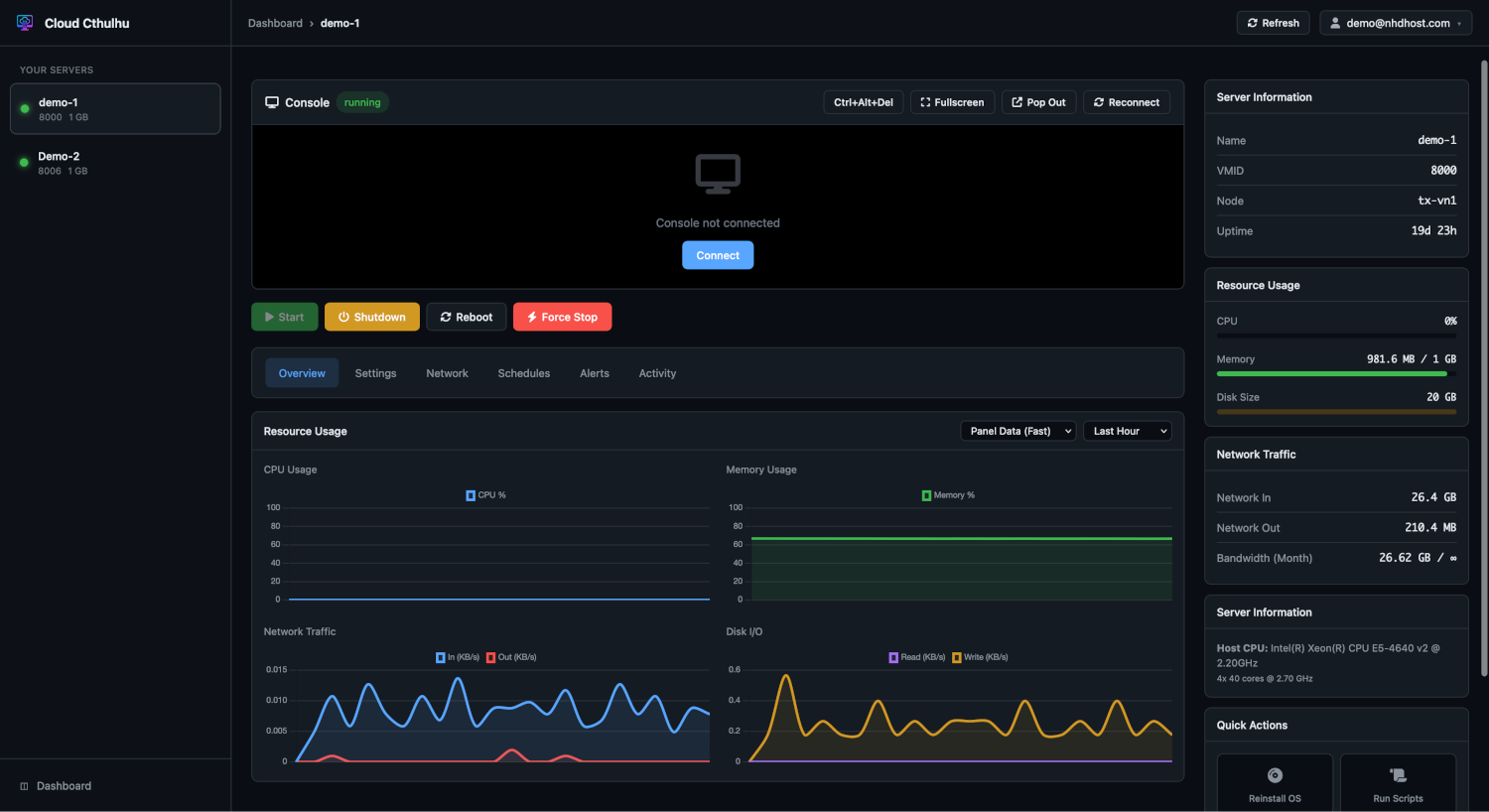
A clean, powerful control panel built specifically for our infrastructure. No bloat, no confusion, just the tools you need to manage your VPS.
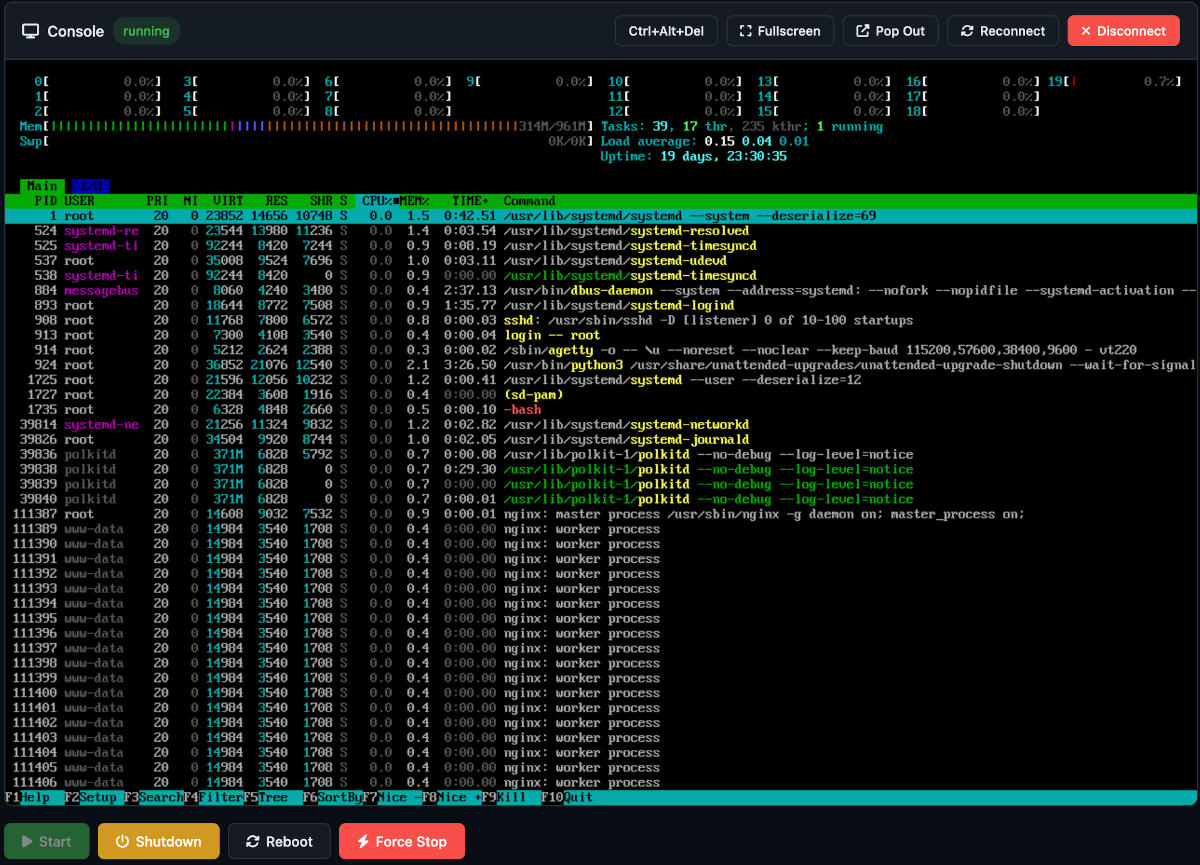
Access your server's console directly from your browser—no software to install, no VPN required. It works even during boot, when SSH is down, or when you've locked yourself out.
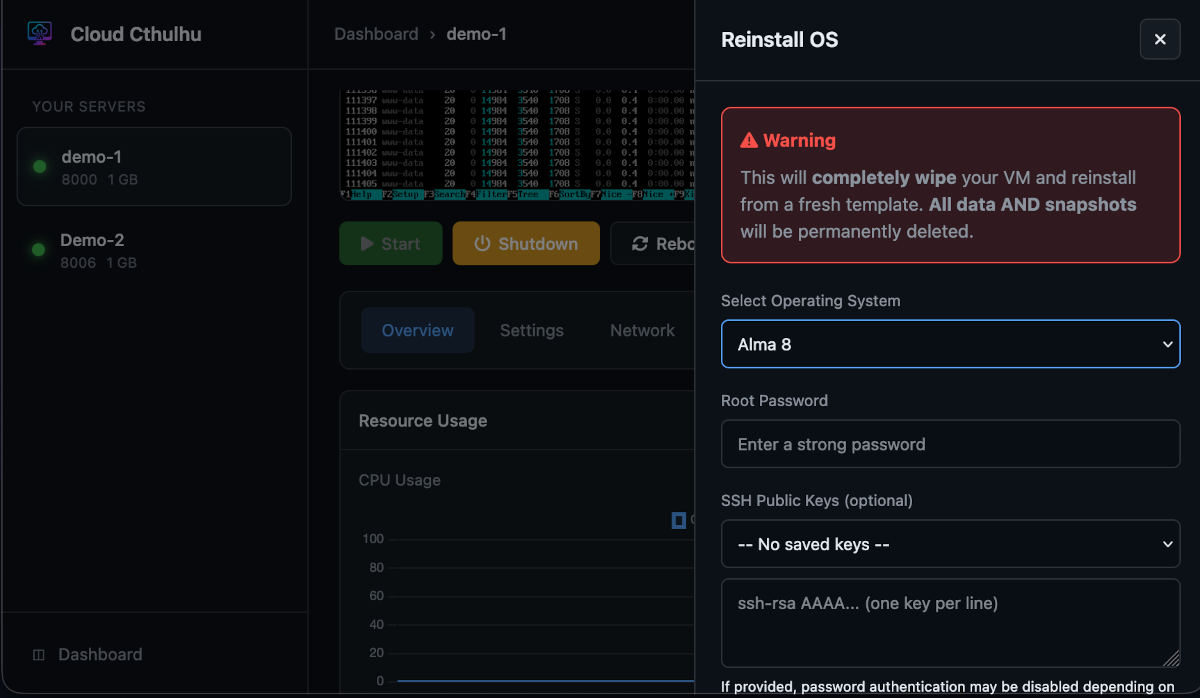
Wipe and reinstall your operating system whenever you want. Choose from Ubuntu, Debian, CentOS, Rocky Linux, AlmaLinux, and more. Your new system is ready in minutes.
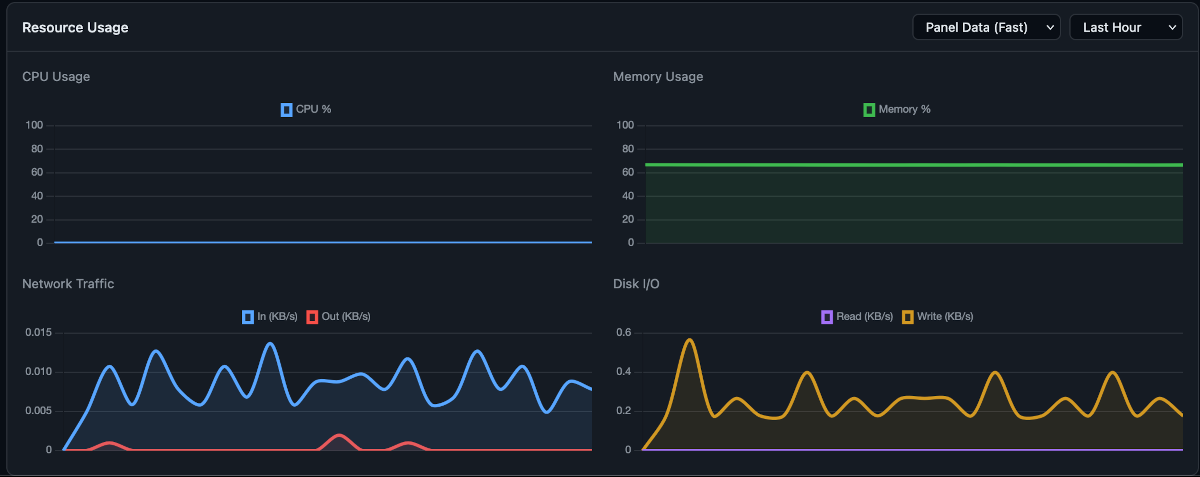
Keep an eye on your server's performance with live graphs showing CPU usage, memory consumption, disk I/O, and network throughput. Historical data helps you spot trends and plan for growth.
Tools to recover from mistakes and protect your work.
Boot into a recovery environment when your system won't start. Reset passwords, repair filesystems, or recover files from a broken installation. One click to enter, one click to exit.
Create a snapshot before making changes. If something breaks, restore to your previous state in seconds. Perfect for testing updates or experimenting with new configurations.
Automatic backups run every night while you sleep. We keep the last 7 days of backups, so you can restore to any recent point if something goes wrong. Set it and forget it.
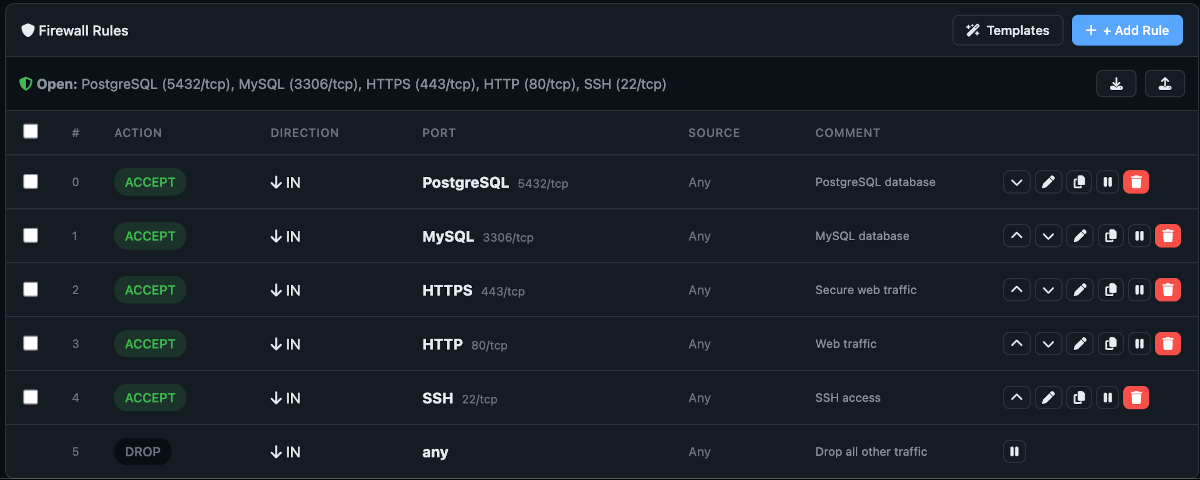
Control what traffic reaches your server with an easy-to-use firewall interface. Add rules for specific ports, use predefined macros for common services, and enable or disable rules on the fly.
Your account is protected with the latest security standards.
Add TOTP-based 2FA using any authenticator app. Includes recovery codes for emergencies.
Use Face ID, Touch ID, Windows Hello, or hardware security keys for passwordless login.
View all active sessions with device info and location. Revoke access from anywhere.
Store multiple SSH keys in your account. Select which ones to deploy during OS reinstall.
Mount and boot from your own ISO images. Install any operating system you need.
Schedule automatic start/stop times for your VPS. Perfect for dev environments.
Request rDNS changes directly from the panel. Track request status in real-time.
Start, stop, reboot, or force-stop your VPS. Clear status indicators show current state.
Change boot order, CPU type, and other low-level settings when needed.
We only include features that matter. No cluttered interfaces, no confusing menus, no features you'll never use.
Designed specifically for our infrastructure. Everything works reliably because we control the entire system.
Light and dark themes that follow your system preferences. Colorblind-friendly mode available. Works beautifully on any device.
Deploy a VPS and experience the panel for yourself.